Elevating Your Stream: The Power of a Professional Neon Gaming Overlay
In the visually saturated landscape of live streaming, presentation is not merely an accessory; it is a fundamental component of channel identity and viewer engagement. For gamers broadcasting on platforms like Twitch, the overlay—the graphical framework that sits atop the game footage—serves as the digital stage. It organizes information, frames the broadcaster, and communicates a channel's energy and theme. A generic or cluttered overlay can detract from the content, while a cohesive, professionally designed kit can significantly enhance the viewing experience and streamline the broadcaster's workflow. This is where specialized design packages, such as a Neon Gaming - Twitch Kit, become instrumental tools for creators aiming to level up their production quality.
Decoding the Components of a Twitch Gamer Kit
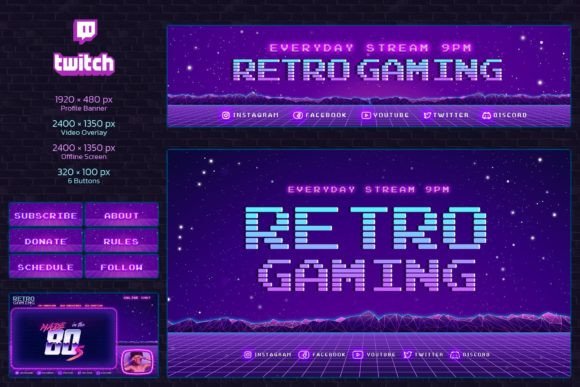
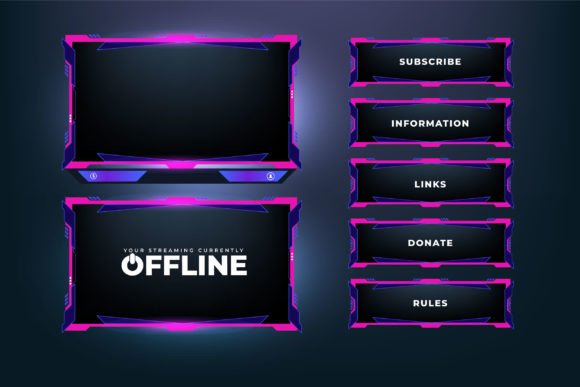
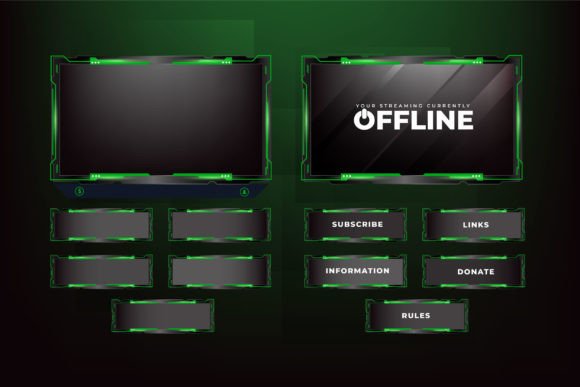
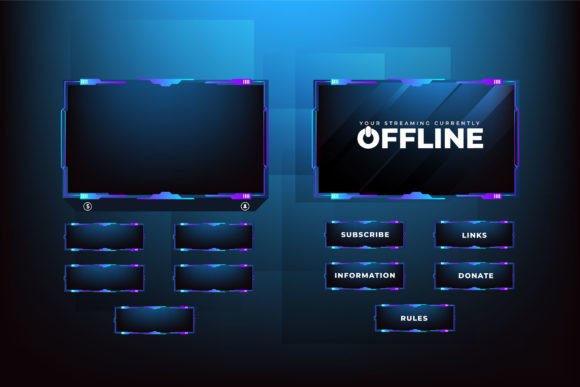
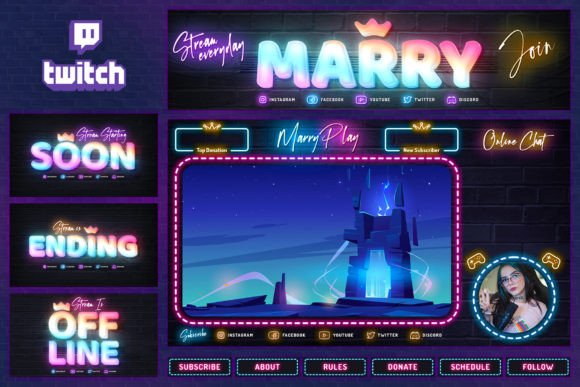
A comprehensive overlay kit is more than a single image. It is a suite of coordinated graphic elements designed for specific functions during a live stream and on the channel page. The mentioned TWITCH GAMER KIT Neon overlay exemplifies this by providing a complete set of editable assets. Understanding each component's role clarifies how they collectively build a professional broadcast environment.
The Core Streaming Interface: Webcam Overlay and Chat Integration
The primary overlay used during active broadcasting is typically a 2400 x 1350 px canvas. This main screen design integrates several critical zones. A dedicated, clearly defined place for webcam video is paramount. It professionally frames the broadcaster, removing awkward or arbitrary cropping. Equally important is the special place for chat display. Integrating chat into the overlay keeps community interaction visible to both the streamer and the audience, fostering a sense of inclusion and real-time participation. This Neon Gaming kit employs a bright and shining design with neon text elements around these areas, creating a vibrant, energetic border that highlights the content without overwhelming it.
Channel Identity Beyond the Live Stream
A stream's brand extends to moments when the broadcaster is offline. The provided kit includes three distinct offline screens, also at 2400 x 1350 px. These screens offer an opportunity to communicate information, showcase schedules, highlight other content, or simply present a striking graphic that maintains channel aesthetic when live content isn't running. Furthermore, the profile banner (2400 x 600 px) and the set of six profile buttons (320 x 100 px each) are essential for polishing your Twitch channel page. The banner acts as a header billboard, while buttons can neatly direct viewers to social media, donation links, merchandise stores, or other important destinations. Having these elements designed in the same neon theme ensures visual consistency across every touchpoint a viewer encounters.
The Practical Advantages of an Editable Photoshop Template
The true utility of such a kit lies in its adaptability. The offering of fully editable Photoshop templates (PSD files) shifts the product from a static graphic to a dynamic toolkit. The promise of editable neon texts means you can personalize all text elements—welcome messages, social media handles, labels for indicator bars—to match your specific channel name and information. Since all layer styles are prepared, modifying text colors, glow effects, or fonts while maintaining the professional neon aesthetic is straightforward, even for those with moderate Photoshop skills.
This editable nature addresses a common pain point for streamers: the desire for a unique look without the cost or time investment of commissioning custom designs from scratch. You receive a professionally structured design foundation and can tailor it to your needs. The included PDF help file with font links and instructions further reduces technical barriers, enabling a smoother setup process.
Functional Graphic Elements for Stream Management
Beyond text, the kit incorporates special functional elements. Indicator bars are pre-designed graphics that can be used to represent various metrics, such as donation goals, subscriber milestones, or event timers. Ready-to-use social media icons provide visually consistent links to your other platforms. These elements are not merely decorative; they serve operational roles, helping you present dynamic information cleanly within your neon theme. Having these assets pre-built and coordinated saves considerable time in graphic preparation and ensures they don't clash with the overall design.
Real-World Application and Considerations for Streamers
Implementing a kit like this involves both technical and creative steps. First, ensuring your broadcasting software (OBS Studio, Streamlabs Desktop, etc.) can correctly layer the transparent PNG files exported from the Photoshop templates is crucial. Proper sizing is already handled, as the assets are designed at standard high-resolution dimensions suitable for modern streaming. The webcam overlay area must be aligned with your camera feed, and the chat area positioned to display your chosen chat source.
The choice of a neon aesthetic, specifically, carries particular connotations. Neon graphics evoke a sense of energy, futurism, and vibrant entertainment. They are well-suited for fast-paced gaming content, tech-focused streams, or channels aiming for a modern, upbeat tone. The bright and shining design can make a stream visually pop against darker game environments. However, it requires consideration of overall screen balance; the neon elements should enhance, not distract from, the primary game footage and webcam feed.
From a workflow perspective, using such a kit standardizes your graphics. Once the PSD files are edited and exported, you have a consistent set of assets for every stream. This eliminates the daily hassle of creating or switching overlays and ensures your channel presents a stable, recognizable identity. For growing streamers, this consistency aids in brand recall. For busy streamers, it simplifies production logistics.
Who Benefits from a Structured Twitch Overlay Kit?
The audience for such a product is broad. New streamers seeking an immediate leap in production quality over basic, free templates find immense value. Hobbyist streamers who enjoy gaming but lack graphic design skills can achieve a professional look. Even established professionals and business-oriented channels (e.g., esports organizations, gaming communities) can use these editable kits as a cost-effective base for further customization or for consistent branding across multiple affiliated streamers. Educators or researchers streaming game-related content can use the clean layout to professionally present information and analysis. The key unifying factor is a desire for improved visual communication and channel cohesion without necessarily engaging in full-scale custom design projects.
Ultimately, tools like the Neon Gaming - Twitch Kit represent the democratization of broadcast design. They provide a bridge between amateur and professional presentation, packaged in a format that encourages personalization. By offering a complete set of coordinated, editable assets—from the live overlay with its dedicated places for video and chat, to the offline screens, profile banner, and buttons—they address the holistic visual needs of a Twitch channel. The focus on practical, ready-to-use Photoshop templates with prepared layer styles and clear instructions underscores a design philosophy centered on usability and real-world application, empowering a wide range of creators to craft a brighter, more engaging streaming space.