Elevate Your Gaming Projects with the Sword 3D Text Effect
In the fast-paced world of online gaming and content creation, visual impact is everything. For gamers building communities, developers launching mobile titles, or designers crafting promotional assets, finding a quick and powerful way to make text stand out is a constant challenge. Enter the Sword 3D Text Effect for Gaming Mobile. This specialized graphic resource is designed to provide creators with an instant, high-quality stylistic upgrade for their text, combining the sharp, aggressive aesthetic of a sword with modern three-dimensional design.
What Exactly Is This Graphic Resource?
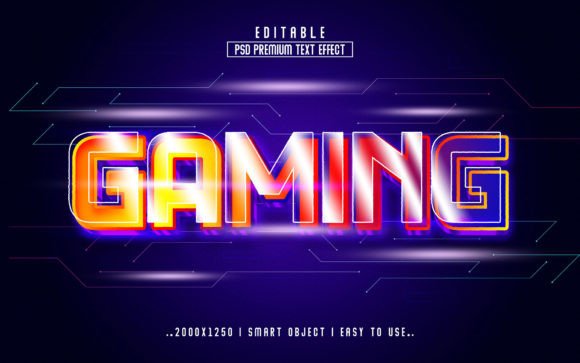
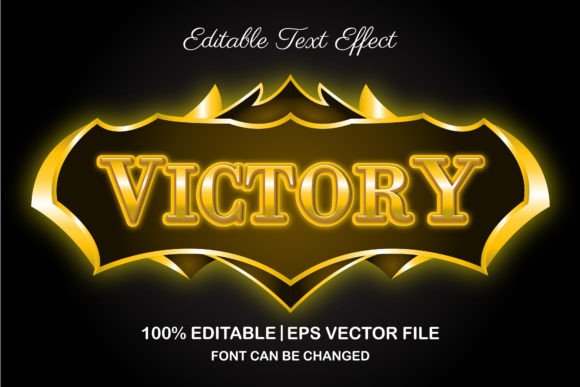
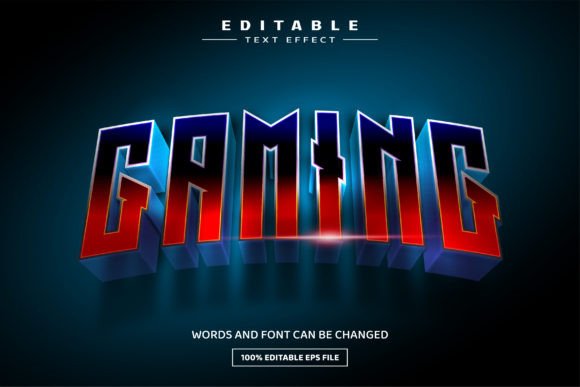
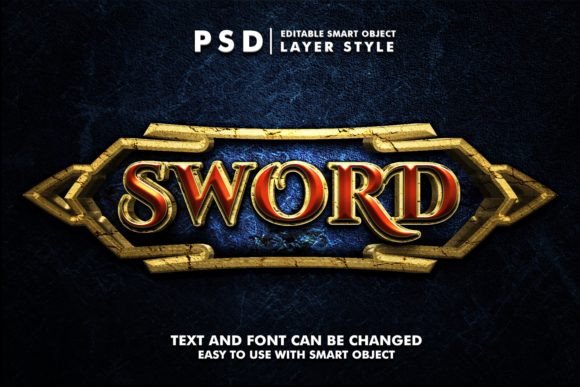
The Sword 3D Text Effect for Gaming Mobile is not just a font or a simple image. It is a complete, pre-designed text effect template built within a Photoshop (PSD) file. The core offering is a stunning, three-dimensional rendering of text that mimics the look of polished steel, with edges that gleam and surfaces that catch the light, reminiscent of a blade. The design inherently carries connotations of strength, action, and cutting-edge competition, making it an immediate visual cue for gaming content.
The true value lies in its structure. The effect is applied to text that exists within a "Smart Object." This is a powerful feature in Photoshop that allows you to edit the content inside it without affecting the complex effects applied around it. In practical terms, the main file shows the finished, spectacular 3D sword text, but the words themselves are locked inside this editable container.
The Revolutionary "Double-Click to Edit" Process
For many, the idea of editing a complex 3D effect sounds technically daunting. This resource turns that process into a simple, two-step action.
- You open the provided PSD file in Adobe Photoshop.
- You locate and double-click the layer specifically named "Your Text." This opens the Smart Object in a new window.
- Inside that window, you see the placeholder text. You simply replace it with your own words—your game's title, your channel name, your promotional slogan.
- You then save and close that Smart Object window.
- Immediately, upon returning to the main file, you see your new text perfectly rendered with the full Sword 3D effect applied.
No need to adjust lighting, bevels, textures, or shadows. The complex design work is preserved and automatically transferred to your new text. It’s a workflow that prioritizes results over technical skill.
Who Benefits from Using This Effect?
The application of the Sword 3D Text Effect for Gaming Mobile is surprisingly broad. While its name suggests a niche for mobile gaming, its utility extends far beyond.
- Indie Game Developers & Marketers: Creating compelling logos, title screens, and in-game asset text for mobile or PC games without a dedicated 3D artist.
- Content Creators & Streamers: Designing unique YouTube channel banners, Twitch overlays, Facebook event covers, and promotional graphics that instantly communicate a gaming focus.
- Graphic Designers & Agencies: Using it as a high-quality starting point or component in larger projects like posters, flyers, or website hero sections, saving valuable production time.
- Merchandise Creators: Applying the effect to text for T-shirt designs, team apparel, or gaming community merchandise where a bold, metallic look is desired.
- Small Business Owners: Even non-gaming businesses in competitive fields like sports, fitness, or tech might use it for limited-time promotional banners or logos to convey power and precision.
Key Features and Technical Specifications
Understanding what you get helps evaluate its fit for your project.
- Smart Object-Based: As detailed, this ensures effortless text editing.
- High Resolution: The file is built at 2000x1333 pixels at 300 DPI, making it suitable for both digital screens and high-quality print work.
- Well-Organized Layers: The PSD file is structured with clear, labeled layers, allowing for advanced users to make minor adjustments if they wish.
- 100% Editable: While the text is the primary editable element, the layered structure means colors and effects can be tweaked by those with Photoshop knowledge.
- What You Receive: You get one fully layered PSD file and one pre-rendered image file (likely a JPEG or PNG) for immediate use or reference.
Practical Applications and Real-World Scenarios
Let’s move from theory to practice. Imagine a scenario where a small team is launching a new mobile action game called "Dragon’s Edge." They need a logo for the app store, a banner for their social media, and artwork for a web advertisement. Instead of commissioning expensive custom 3D work or struggling with software they don’t master, they acquire the Sword 3D Text Effect for Gaming Mobile.
Within minutes, they have a professional, metallic 3D logo with their game’s name. They use it for their app icon. They adapt it for their YouTube channel banner. They place it prominently on their launch trailer. The consistent, high-impact visual identity is established rapidly and at a low cost.
Another example: a gaming news website wants to create a special weekly feature called "The Arena Report." They use the effect to generate a striking title graphic for their videos and articles, giving the series a branded, authoritative look that resonates with their audience.
Evaluating Suitability and Important Considerations
While versatile, the Sword 3D Text Effect for Gaming Mobile is not a universal solution. Here are some points to consider.
Strengths: Its primary strength is speed and quality. It delivers a complex aesthetic result with minimal user effort. It is also highly consistent—every word you edit will receive the exact same treatment, ensuring brand uniformity. The high-resolution base makes it flexible for various outputs.
Limitations: The effect has a fixed style. It will always look like a metallic sword blade. If your project requires a softer, futuristic, or handwritten look, this resource is not appropriate. It requires Adobe Photoshop to edit the text; without it, you can only use the pre-made image file. Finally, while you can change the text, the color and texture of the effect are predefined. Advanced customization requires deeper Photoshop skills.
When evaluating, ask yourself: Does the "sword" or "metallic 3D" aesthetic align with my project’s tone? Do I have access to Adobe Photoshop for the editing I need? Am I looking for a ready-made solution rather than a fully customizable toolkit?
A Tool for Modern Digital Creation
In an era where visual content dominates, resources that bridge the gap between professional quality and user accessibility are invaluable. The Sword 3D Text Effect for Gaming Mobile serves precisely that role. It empowers gamers, creators, and business owners to implement a sophisticated text design that would typically require specialized 3D modeling or advanced Photoshop expertise.
Its value is not just in the final graphic, but in the democratization of the design process. By simplifying the edit to a simple double-click and save, it places the focus on your message and your project’s needs, rather than on the technical hurdles of software. Whether for a mobile game launch, a social media rebrand, or a merchandise line, it provides a concrete step toward achieving a powerful and polished visual identity.