Level Up Your Designs with Gaming Text Effect Editable 5
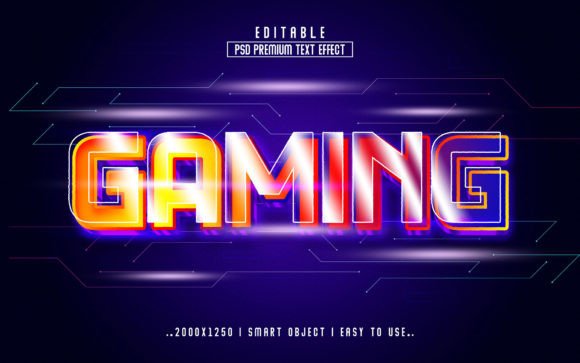
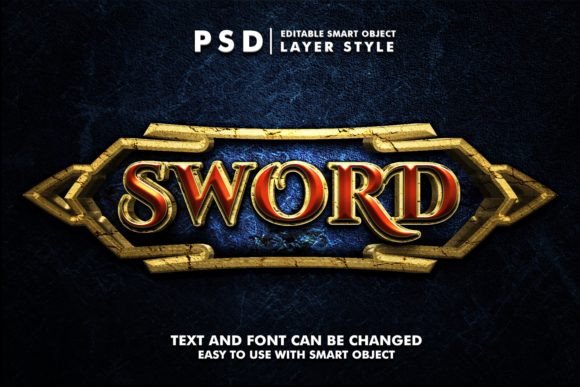
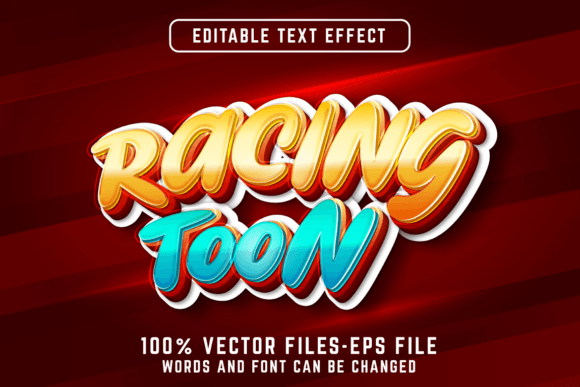
Imagine a text effect that instantly captures the vibrant, energetic spirit of gaming culture—bold, dynamic, and ready for action. Gaming Text Effect Editable 5 is precisely that: a fully customizable vector text effect designed for Adobe Illustrator. It’s not just a static font or a pre-rendered image; it’s a live, editable style. You simply type your words, and the entire effect—the layered gradients, the striking outlines, the digital texture—applies automatically. This means you have a powerful, one-of-a-kind stylistic tool that says whatever you want, exactly how you want it.
A Foundation for Unlimited Creativity
What makes this effect so useful is its inherent flexibility. Because it’s built as a vector graphic, there are no constraints on size. You can scale your text from a tiny social media icon to a massive poster print without any loss in quality or sharpness. For projects requiring extreme scalability or specific workflow integration, you can also acquire an AI or EPS file version. This foundational versatility opens the door for creators to think big and adapt freely.
The editing process is straightforward and integrated directly into Illustrator’s workflow. Using the Type Tool (shortcut: T), you click on the applied text effect, change your text content, and finish. The magic happens in the background: the complex styling updates instantly to match your new words. To edit the files, you’ll need Adobe Illustrator CC or higher, ensuring you have access to the latest features that support such dynamic graphic styles.
Practical Applications Across Projects and Platforms
For designers and marketers, Gaming Text Effect Editable 5 is a shortcut to professional, theme-coherent visuals. Think beyond literal gaming content. The effect’s attributes—energy, modernity, a slight tech-edge—can be repurposed to communicate speed, innovation, or excitement in various contexts.
Creative Interpretations and Project Ideas
Consider using it for headline text on a website promoting a new tech product or a cutting-edge app. An entrepreneur could employ it for key banners in a presentation deck to emphasize “Growth” or “Strategy,” injecting a punchy visual rhythm into otherwise corporate material. Educators and publishers might find it perfect for cover titles or chapter headings in educational materials focused on STEM, coding, or digital arts, making the content feel more contemporary and engaging for students.
Freelancers and small business owners can adapt it to create consistent branding elements. Your channel name on YouTube, a standout quote graphic for Instagram, or a bold logo variation for your portfolio—the effect ensures visual consistency across platforms while remaining completely editable for each specific format. Hobbyists creating custom merchandise, like T-shirts or mugs, can generate unique, scalable text without needing intricate manual design skills.
Balancing Inspiration with Effective Design
While the tool provides immense creative freedom, keeping your results clear and audience-friendly requires a bit of practical guidance. The effect is naturally detailed, so it works best with shorter, impactful words or phrases. For longer sentences, the intricate details might become visually noisy. Always prioritize readability.
You can maintain originality by combining the text effect with your own color palette. Adjust the built-in gradients to match your brand’s colors or a specific project’s mood. Pair it with simple, clean background elements or photography to let the text truly stand out as the focal point. This balance—using a powerful preset as a foundation, then personalizing it—is the key to producing work that is both professionally polished and uniquely yours.
Adapting for Different Audiences and Goals
The interpretation of “gaming style” can vary. For a streamer’s community-facing graphics, the effect can be used at its full, vibrant intensity. For a corporate blog article about “The Future of Interactive Learning,” you might tone down the saturation slightly for a more sophisticated, yet still innovative, look. The vector format means you can even break apart the effect in Illustrator, using just the outline layer or just the inner glow for a more minimalist variation, tailoring it precisely to your audience’s expectations.
Bloggers and content creators looking for inspiration can use Gaming Text Effect Editable 5 to generate a series of visually cohesive featured images for a post series. Changing only the text each time creates a strong, recognizable visual theme that improves reader recall and brand perception. The practical benefit here is efficiency: you establish a high-quality look once, and then replicate it effortlessly for future content.
Your Tool for Dynamic Visual Communication
Ultimately, Gaming Text Effect Editable 5 is more than a preset; it’s a partner in visual communication. It handles the complex technical rendering of a multi-layered text style, freeing you to focus on the message, the application, and the creative direction. By understanding its core mechanics—vector scalability, instant editability, and Adobe Illustrator integration—you can harness it to produce compelling work for virtually any project that calls for a dose of dynamic, modern energy.
Start by applying it to a single headline. Type your word, watch the style generate, and then experiment. Change the color, scale it up, place it over a background. See how it transforms a simple statement into a visual event. That immediate, useful creativity is its greatest advantage, providing a grounded, practical jumpstart for designs that need to speak with impact and style.